
Designing a Qualification-Based Demo Booking Experience
Designed a scalable, responsive and modular design system for Ticketmaster, creating tokens and multiple variants of key components across multiple breakpoints, ensuring alignment with the brand’s identity and adaptability across platforms.


8 weeks
Design Systems - Ecommerce
B2B IT & MSP prospects
4 Product Designers
Figma, Chili Piper, Salesforce, heatmaps, CRO data
My Role
Worked directly with the Director of Website Strategy, and Senior Director of Product Revenue Marketing to strategize a workflow with less user friction.
Impact created
Created 100+ component variants for scalability and responsiveness, that can streamline future Ticketmaster pages.
Integrated accessibility standards in system components according to WCAG guidelines, enhancing usability.
Established a foundation for future scalability, with components that adapt to new requirements, reducing the need for rework and allowing efficient updates.
100+
Component variants created specifically for the Ticketmaster website across breakpoints.
30%
Lesser individual components due to variants structure and design.
30%
Lesser time in creation of new pages as per usability tests.
Project Overview
This project focused on designing and shipping a direct “Book a Demo” experience that allows qualified prospects to connect with Account Executives (AEs) in real time — while respecting existing sales workflows, technical constraints, and capacity limits.
As the UX designer on this project, I was responsible for:
Designing the end-to-end user flow
Translating complex routing logic into clear UX
Aligning frontend and backend constraints
Partnering closely with Sales, RevOps, Data, and Engineering
Ensuring the experience could scale without harming AE productivity
While this initiative involved significant product and operational considerations, my ownership was centered on experience design, decision logic, and system clarity.
Problem
While NinjaOne’s trial-first motion performs well for MSPs, IT buyers evaluating endpoint management often seek early human interaction—making a demo-led path critical to meeting their decision-making needs and capturing high-intent demand.
The existing primary CTAs created friction and redundancy:
High-intent users (especially IT personas) had no direct way to book time with an AE
Demo requests followed a slow SDR-first routing model—even when users were already qualified
Sales teams wanted faster handoffs without overwhelming AEs or breaking routing logic
High-intent users were forced through low-intent flows.
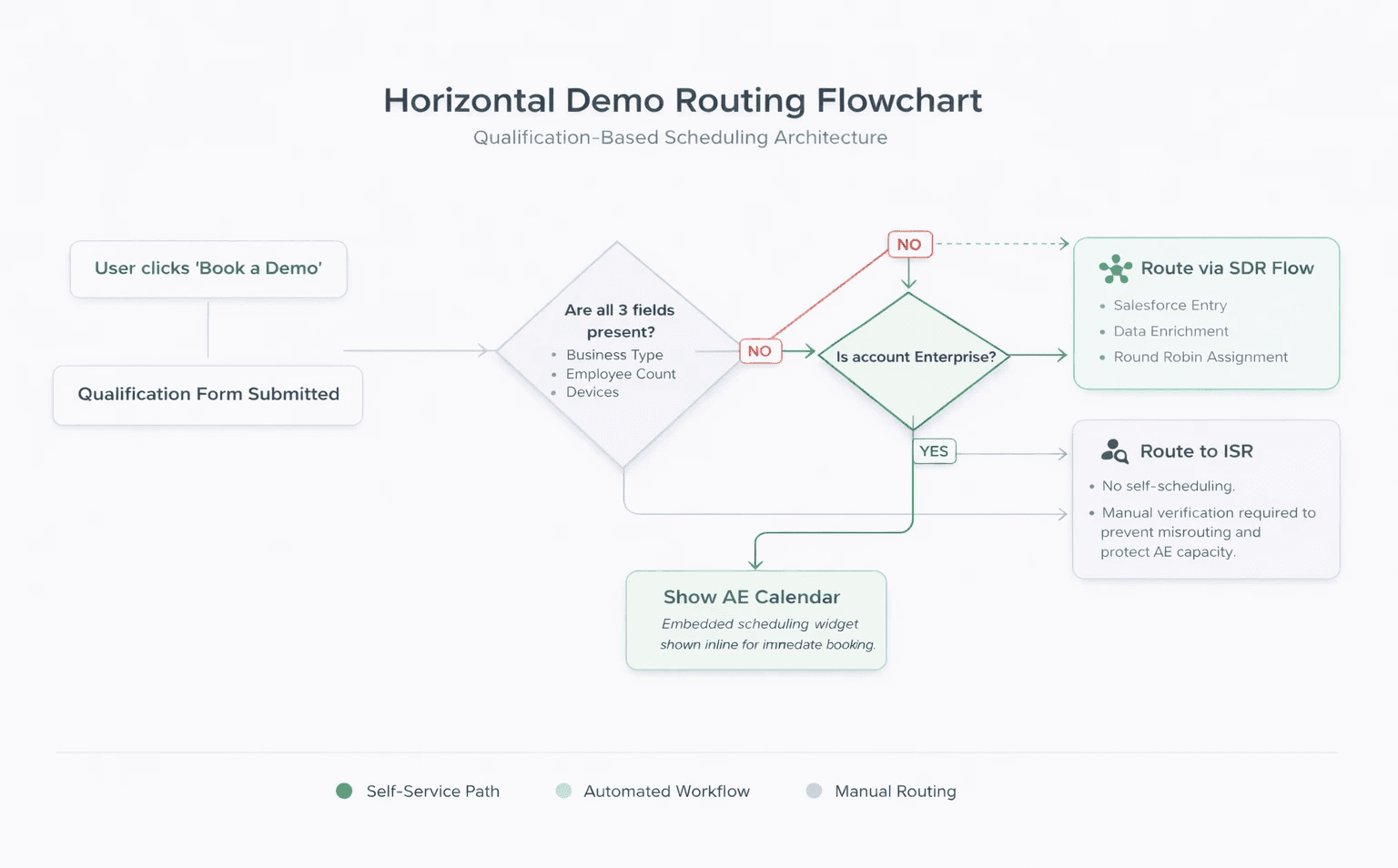
Routing flowchart
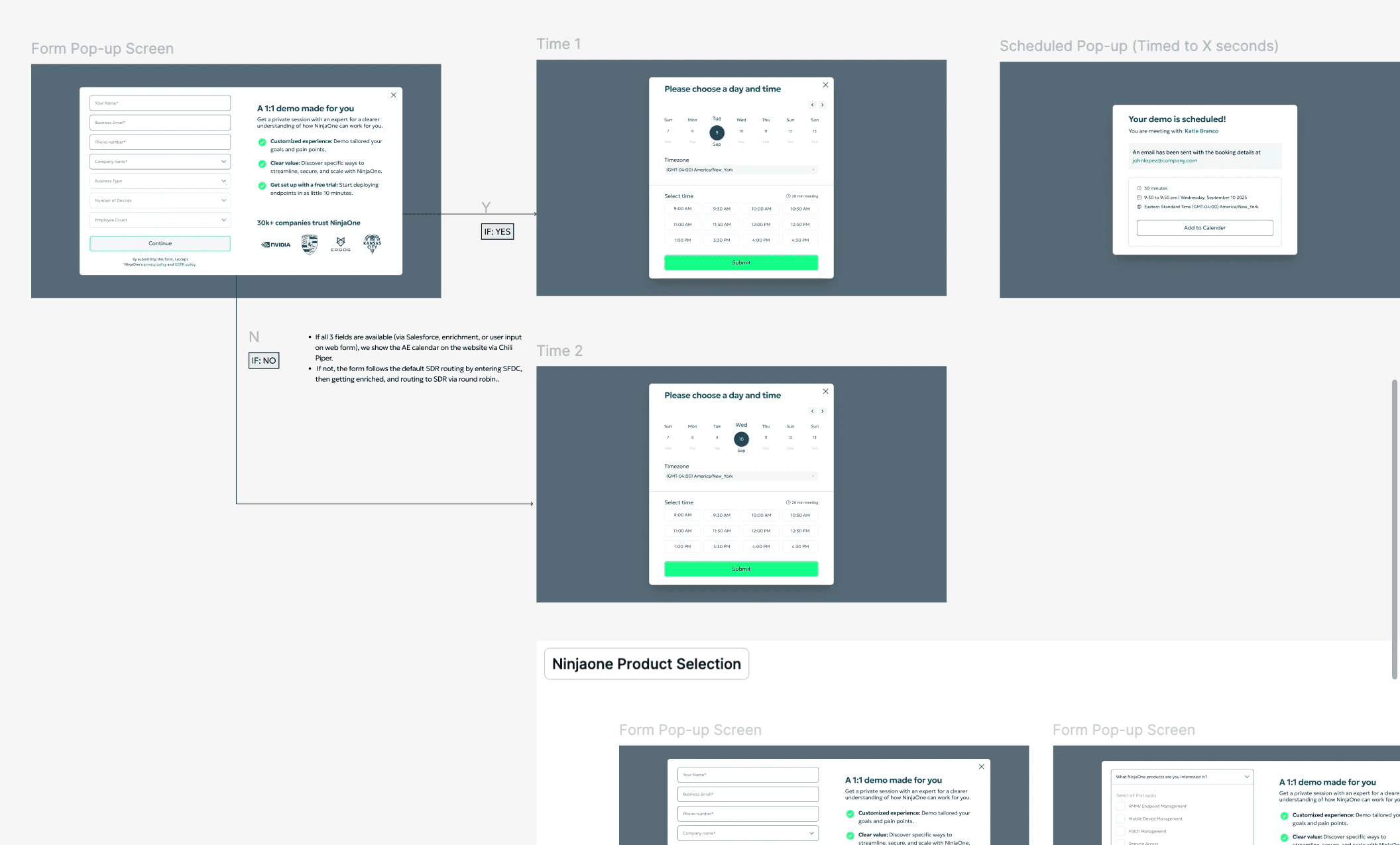
I, along with the Product Marketing manager mapped out the flow, and initial wireframes to gain leadership approval.
Key Stakeholder roles
I worked cross-functionally to design a solution that balanced user needs with operational reality.
Key collaborators:
Frontend engineers: embedded Chili Piper calendar, form behavior, UI states
Backend engineers: Salesforce ingestion, enrichment timing, routing logic
Inbound manager: SDR capacity, round-robin rules, escalation paths
Sales team (AEs + ISRs): booking expectations, burnout safeguards
Data analytics team: CTA performance, heatmaps, demo conversion baselines
My role was to connect these inputs into a cohesive UX system.
My goal was to connect stakeholder inputs into a cohesive UX flow
Design a demo booking experience that:
Feels immediate and human for qualified users
Preserves SDR routing when qualification is incomplete
Prevents enterprise misrouting
Avoids overwhelming AEs
Can be explained clearly to engineering and sales
My role was to connect these inputs into a cohesive UX system.
THE PROBLEM BACKSTORY
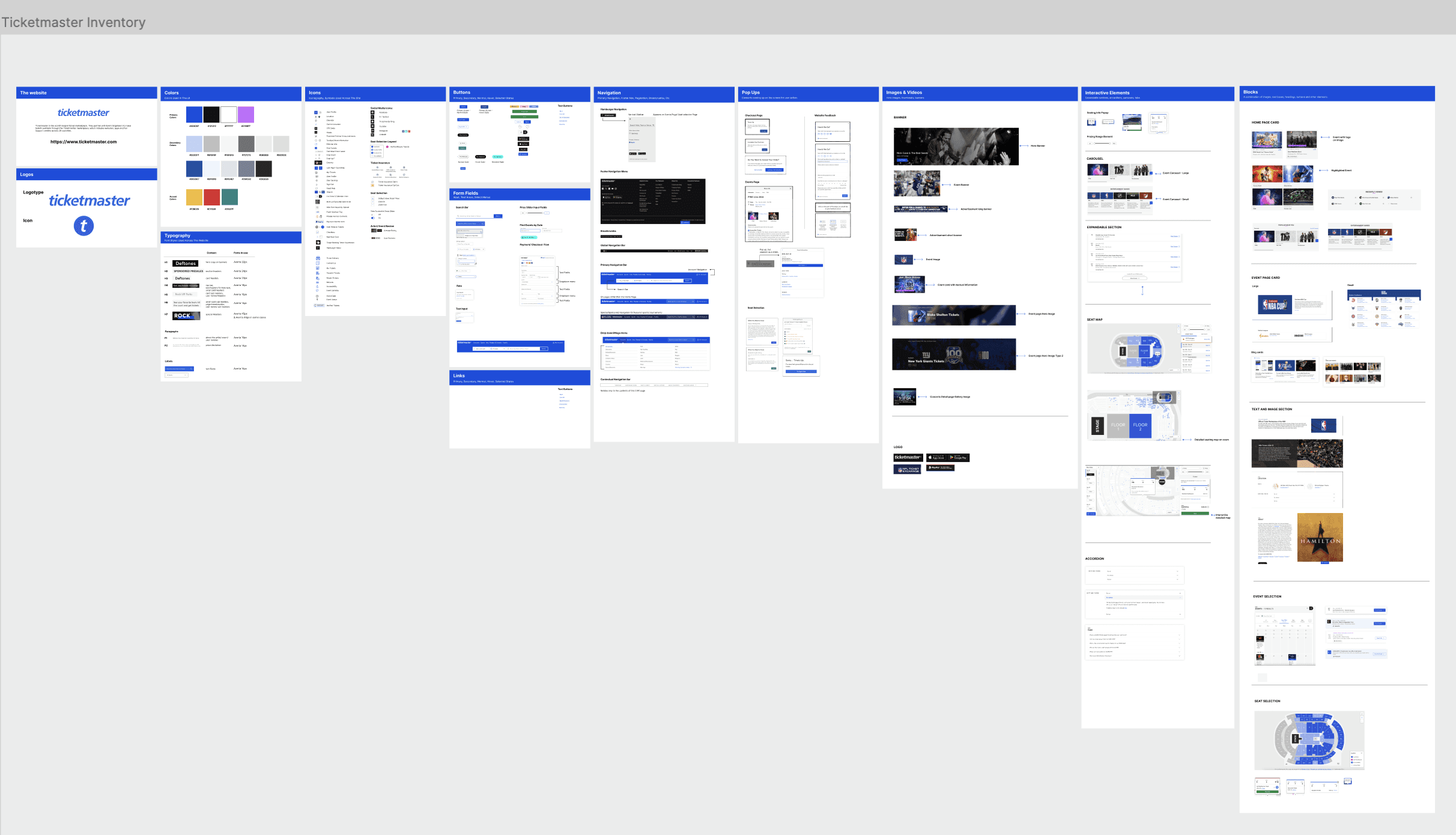
The need for a design system for Ticketmaster was felt due inconsistencies, redundancies, accessibility issues and user confusions.
1. Intent-specific CTA strategy
I introduced a new CTA — “Book a Demo” — and strategically placed it on the top navigation on IT focused high traffic pages to target more high intent visitors, reducing roll-out risk for the pilot launch
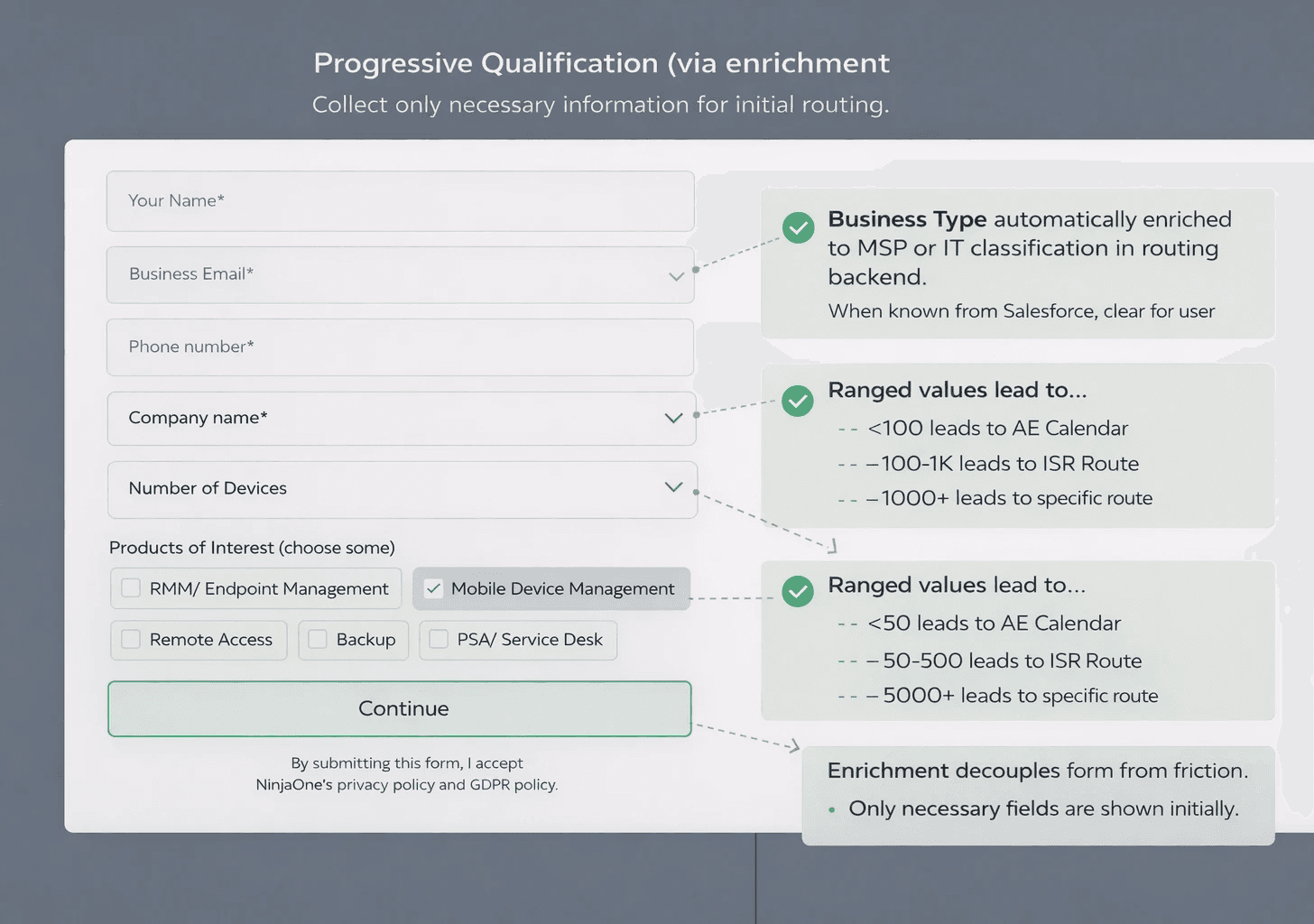
Progressive Qualification (Without overloading the user)
Rather than overloading users upfront, I designed the form to:
Ask only what was necessary for routing
Rely on enrichment where possible
Decide the next experience after submission
This reduced friction while still supporting backend needs.
3. Conditional Routing Experience
Path A — Fully Qualified, Non-Enterprise
Embedded Chili Piper calendar shown immediately
User books time with an AE in the same session
Path B — Incomplete Qualification
No calendar shown
User routed through existing SDR flow
Clear confirmation state (no dead ends)
Path C — Enterprise Accounts
Always routed to ISR
No self-scheduling option
Manual verification preserved
User Goal
Enable qualified prospects to connect directly with an AE at the moment of peak intent.
Business Goal
Increase demo volume from high-intent IT audiences
Reduce unnecessary SDR handoffs
Preserve routing logic, enrichment, and sales controls
UX Goal
Design a clear, low-friction booking experience that adapts dynamically based on available qualification data.
THE SOLUTION:
Presenting Backstage: a scalable Design System for Ticketmaster
The Backstage Design System documentation covers the compilation of Ticketmaster interface UI components, their states, variants, usage and accessibility guidelines for streamlined use by both designers and developers. We have also added overall Foundational token guidelines for Color, Spacing, Typography, and additional resource support for a user to access the system.
I established rules to streamline the UI by reducing color, space, and font styles, then defined raw values to create Primitive-level tokens.
We were able to reduce number of UI colors by almost 40%.
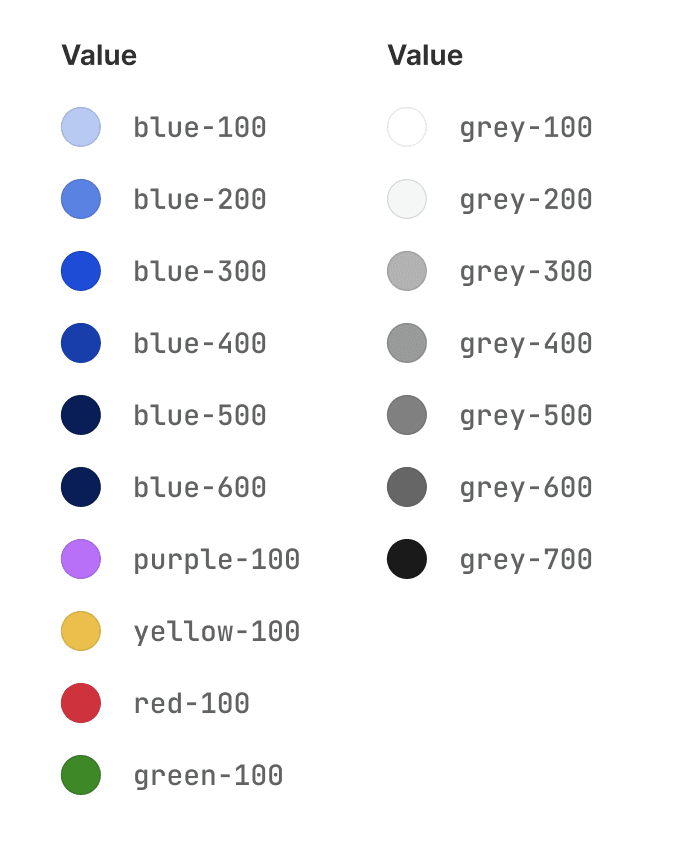
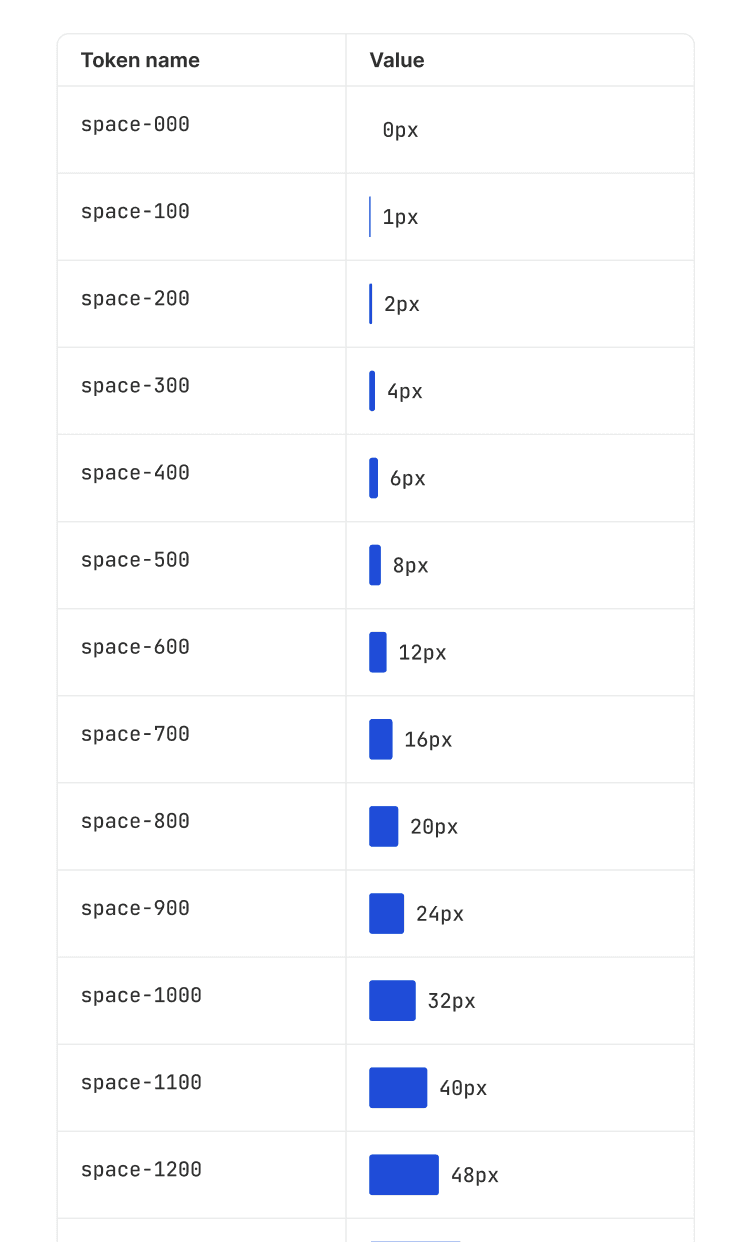
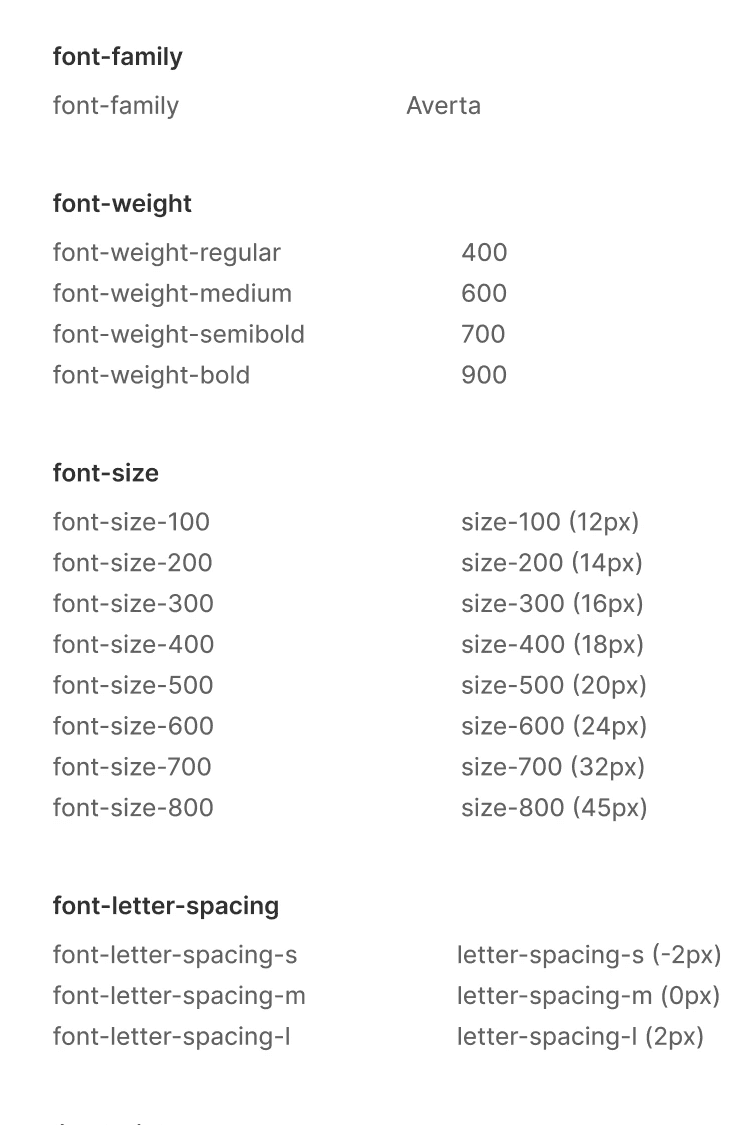
The primitive tokens provided set values for the semantic tokens, forming the foundation of a consistent system.
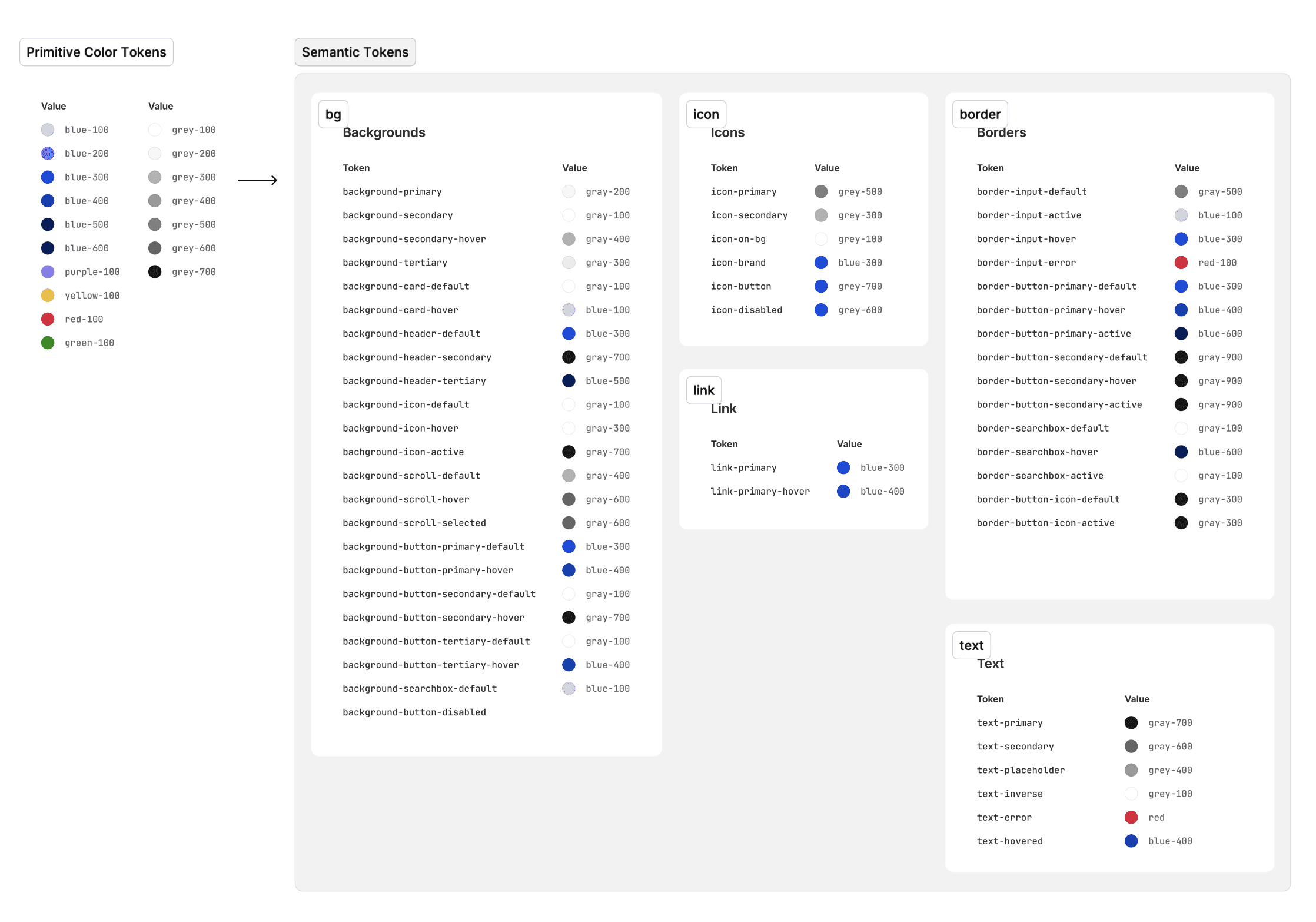
We built up components with different typologies and variants by setting strategic properties.
We streamlined 27 different card styles across breakpoints to 1 main component.
We built components with different properties such that components can easily adapt as per designer requirements. At the same time this also maintains consistency across component types across the website, saves time for replacing components as needed on pages, and saves time and effort for development. We could streamline different types of buttons, cards, accordions in a similar manner.
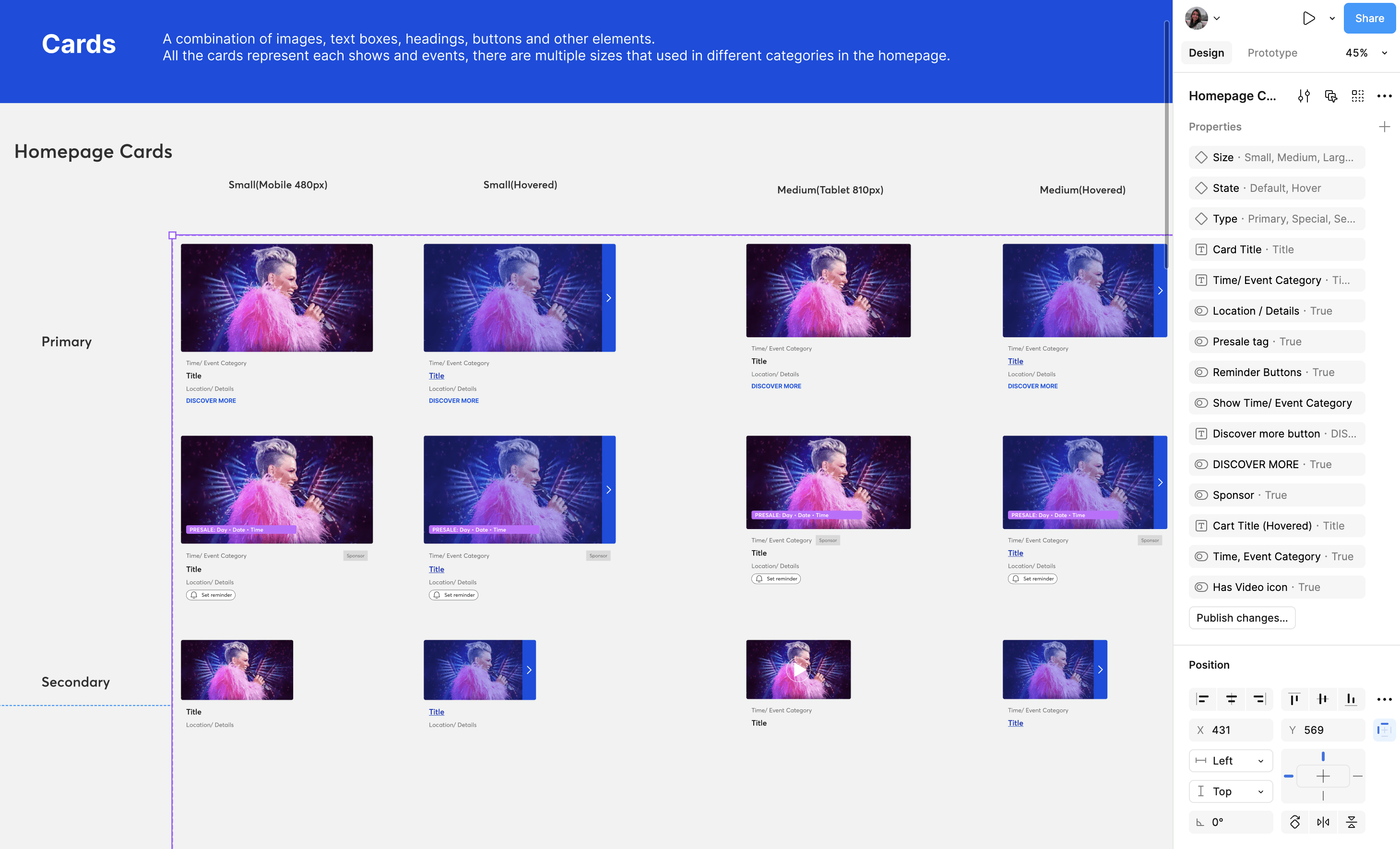
The same was followed for all components, hence streamlining the system for consistency and efficiency.
We made components responsive to ensure consistency across devices.
By strategizing design by ranges, we designed the components to be responsive throughout screen sizes.
We built components with different properties such that components can easily adapt as per designer requirements. At the same time this also maintains consistency across component types across the website, saves time for replacing components as needed on pages, and saves time and effort for development. We could streamline different types of buttons, cards, accordions in a similar manner.
BUILDING THE DESIGN SYSTEM DOCUMENTATION
We used Zeroheight to build a documentation site for our design system. Zeroheight, designed specifically for hosting design system documentation, offered valuable features. It allowed us to seamlessly import and annotate components directly from Figma and showcase usage guidelines with clear, illustrated examples.
Each component and pattern had a page outlining its appearance, usage, and accessibility guidelines for consistent implementation.
We added descriptions and usage guidelines for each component, including their variants, to ensure designers and developers could effectively apply the system, tailored specifically for Ticketmaster. We also added guidelines to abide by WCAG standards for accessibility, contribution policies, downloadable resources, etc.
Achievements
Optimized Component Usage:
Streamlined the Figma component library by strategically designing variants, reducing the overall number of components while maintaining flexibility. This would enable consistent design implementation across projects.
Integrating Responsiveness:
I took the lead for implemented responsive design principles within the Figma components, ensuring that each component and variant adapts seamlessly across multiple breakpoints, reducing the need for separate components for different screen sizes.
Successful Implementation of Design System:
Collaborated and developed and launched a comprehensive design system documentation site using Zeroheight, streamlining the design process and ensuring consistency across all components.
My key take-aways
Developed a Passion for Design systems: Through hands-on experience in this project, I discovered my passion for design systems. I was fascinated by their ability to drive consistency, efficiency, and accessibility across teams. This journey has reinforced my commitment to advancing my skills in systematizing design for impactful, scalable solutions.
Collaboration and management skills matter: Effective collaboration and strong project management were crucial for aligning team efforts and ensuring smooth implementation of the design system.
Digging deep till atomic level is integral: Focusing on the smallest design details, down to the atomic level, was vital for creating a consistent and reusable component library that can scale across projects.



User Goal
Enable qualified prospects to connect directly with an AE at the moment of peak intent.
Business Goal
Increase demo volume from high-intent IT audiences
Reduce unnecessary SDR handoffs
Preserve routing logic, enrichment, and sales controls
UX Goal
Design a clear, low-friction booking experience that adapts dynamically based on available qualification data.
User Goal
Enable qualified prospects to connect directly with an AE at the moment of peak intent.
Business Goal
Increase demo volume from high-intent IT audiences
Reduce unnecessary SDR handoffs
Preserve routing logic, enrichment, and sales controls
UX Goal
Design a clear, low-friction booking experience that adapts dynamically based on available qualification data.